A tool that collects franchise store info from three delivery apps and cross-checks it
Pick just a region, and the franchise list that was only visible inside the app is organized into twelve items, with presence in other delivery apps cross-checked by business registration number.
Franchise store status across three delivery apps
Before
Opening the app, tapping each store one by one, and copying them into Excel
After
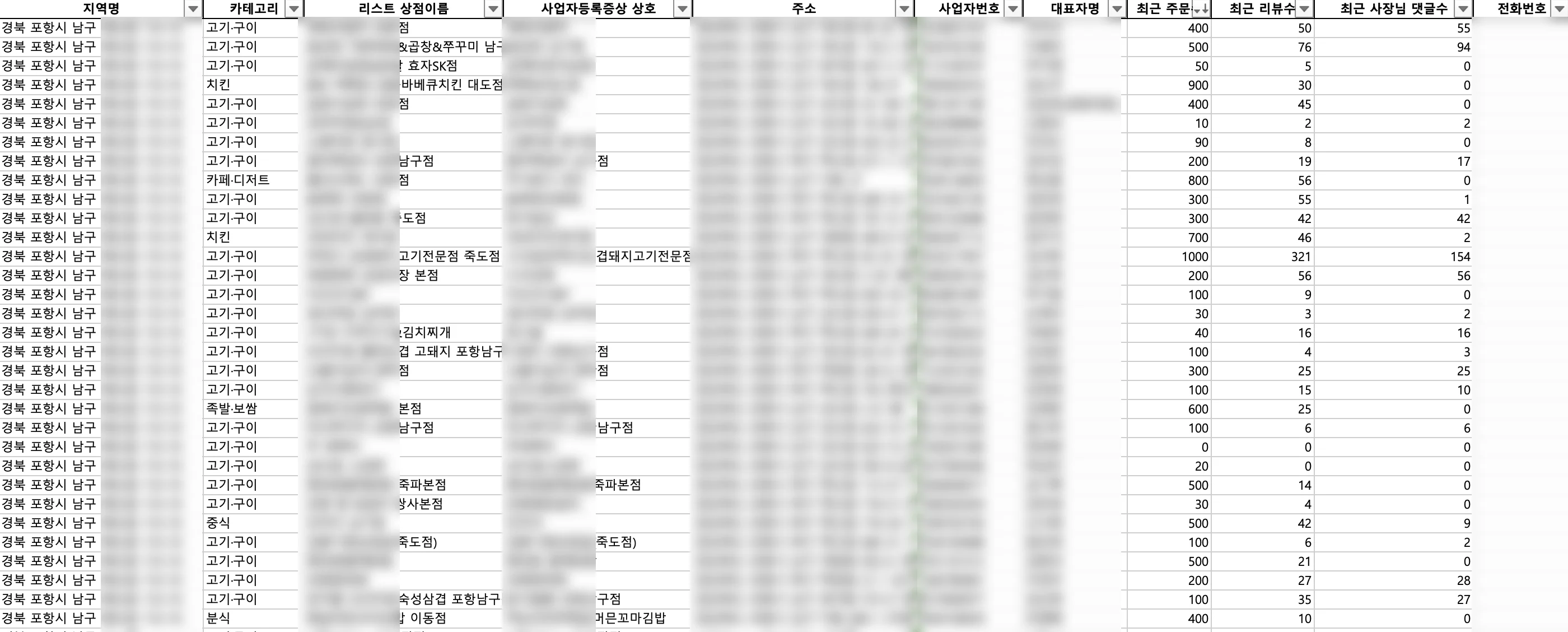
Run after picking a region · twelve items organized into Excel, with presence in other delivery apps cross-checked
Background
Which stores are in a delivery app, and how many orders and reviews they get, is material for reading a neighborhood’s commercial district. But that information lives separately in each app, and there isn’t just one way to see the same data.
What we saw on site
They were opening the app, tapping each store one by one, and copying them into Excel.
Set the region, pick the category, tap a store to open the details, and copy the needed items over. Then check whether the same store is in the other delivery apps, one by one, by its business registration number.
There isn’t one region, and there isn’t one category. Finish one region and the next starts over from the beginning.
The problem we defined
The problem was that each task worked through a different path.
The franchise list is only visible when you open the app. Whether a store is also in another app, on the other hand, is confirmed by looking up its business registration number on the store-owner site. Stick to a single way and you can’t do one side, or you make even the workable side harder to get through.
What we built
- The list is read from the app’s screen structure — not by photographing the screen and recognizing letters. It finds where items sit in the structure the app draws, and operates on them
- The check happens on the store-owner site — since membership status is lookable on the web, a browser is driven automatically to confirm. When a working path exists, it goes that way
- By region and category — designate a region and it collects split by category, with one folder piling up per region
- Twelve items — region name, category, business name, business name on the registration certificate, address, business registration number, representative, order count, review count, owner reply count, phone number, operating hours — organized into one line
- Cross-checked by business registration number — numbers collected in one app are entered into another app to confirm membership. Put one Excel sheet in, and an Excel sheet with registration status attached comes out
- Runs without installation — the review tool was handed over as an executable. Pick a file, press start, and progress is shown; you can stop it midway. Someone who doesn’t know Python can receive it and use it right away
Results
Pick a region and run: franchise stores per category pile up in twelve items, and entering business registration numbers returns a table of whether the store is listed in other delivery apps.
Other work built the same way is collected at app crawling.
Sources
Three sets of delivered code and collection output (20 regions), plus the distributable executable and its user manual