A collection tool that reads nationwide store stock directly from an app
Enter a product list and it searches the app one by one, reads per-size stock status, and outputs Excel. With multiple devices running at once, a longer list doesn't stretch the time proportionally.
Per-product, per-size store stock checks
Before
Called the store to ask
After
One run after entering the product list · organized in Excel
Background
When you work in logistics, which store has what left, and how many decides the day’s judgment. When that information exists only inside the brand app, the only way is to open the app, search for the product, and tap each size one by one to check.
What we saw on site
They were calling the stores.
To check one product, they called one store and waited for the person in charge to check the stockroom and come back. Multiple sizes meant that much more time. Multiple stores meant starting over from the beginning. And the person on the other end was answering in the middle of their own work.
The problem we defined
The problem was that doing it at human speed was too slow.
By phone or by app, it was one place at a time. As the product list grows, the time grows with it. By the time the checks were done, values checked earlier had already changed — such a table can no longer be used for judgment.
What we built
- Reads the screen structure as it is — finds where the size-selection area is on the screen from the structure the app draws. Not a take-a-photo-and-read-characters approach
- Takes the product list as Excel — one product to check per row in Excel. You can change the target without touching the code
- Multiple devices at once — the list is split and several devices work through it side by side. If one device gets stuck, the rest keep going
- Processes in batches — search terms are not pushed in all at once but split into a fixed number at a time. If it stops midway, how far it got remains
- Scrolls back to the top to start — before moving to the next product, the list is brought back to the top. If the previous product’s scroll position remains, it reads the wrong spot
Result
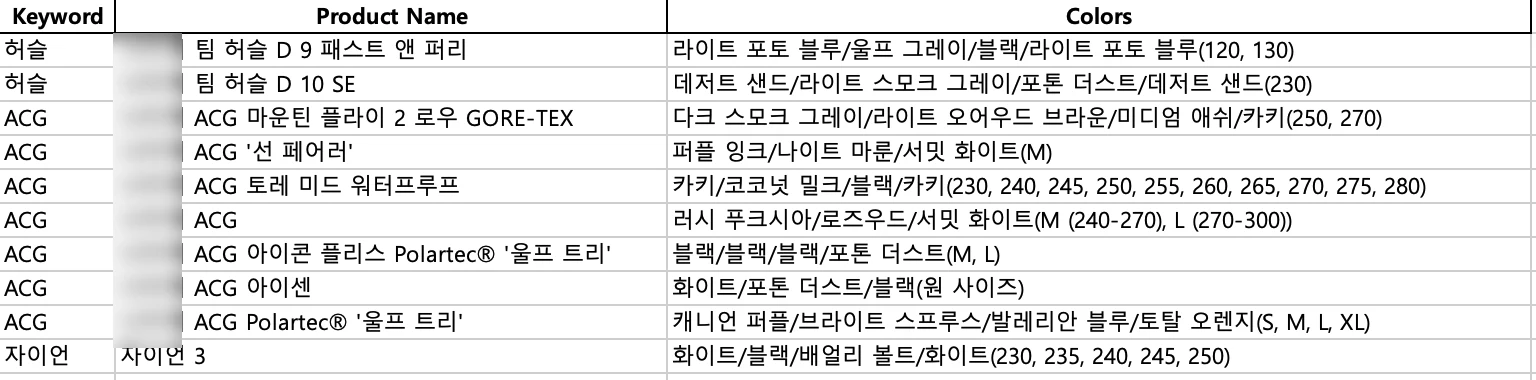
Enter the product list and run it, and per-size stock status comes out organized in Excel.
Other work built the same way is collected at app crawling.
Sources
The delivered code, the multi-device run scripts, the input form, and the delivered Excel output