

Inferaft Story · AI character chat service
Inferaft Story is our own service for chatting with AI characters and for creating and sharing characters, built and run in-house from planning onward. Each conversation uses an AI model of the user's choice; every reply draws on the user's role, facts to remember and the world's settings; and any moment in the story can be drawn as an image and kept beside the chat. It works on desktop and mobile (installed to the home screen) in 12 languages.
Keeping settings alive in long conversations
Before
The user's role, earlier promises and the world's rules had to be restated in every conversation
After
Persona, memory notes and lorebook are consulted on every reply, and switching models keeps the same conversation and memory
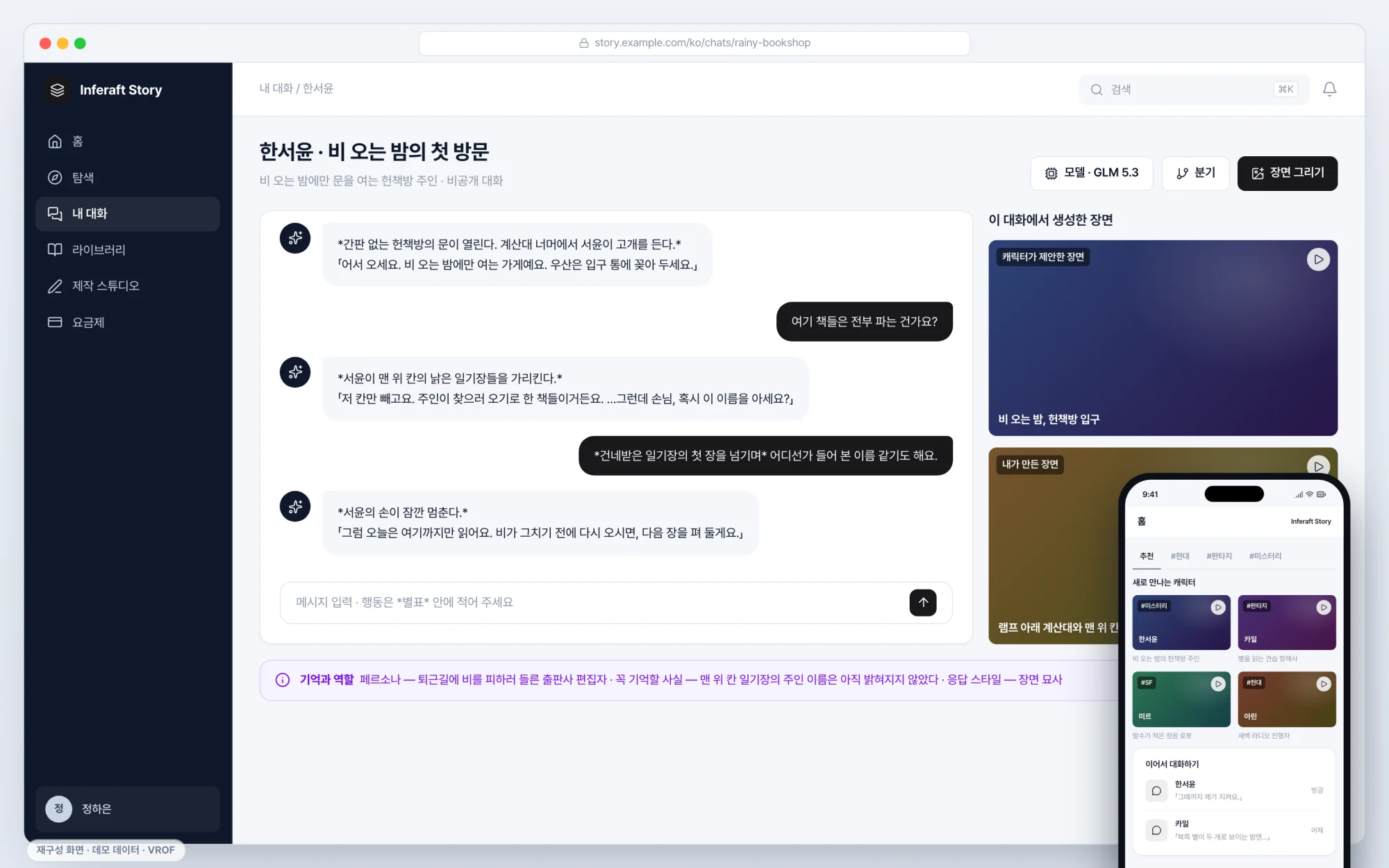
To protect client information, these screens recreate the same features with mock data.
Background
A long conversation with a character carries a lot with it: who the user is in this story, what was promised earlier, what rules the world follows. Restating all of that each time breaks immersion. Creators needed one place to organize a character’s art, personality and world, and to try the character privately before publishing it. And because usage differs with every reply, charges had to stay accurate.
What we built
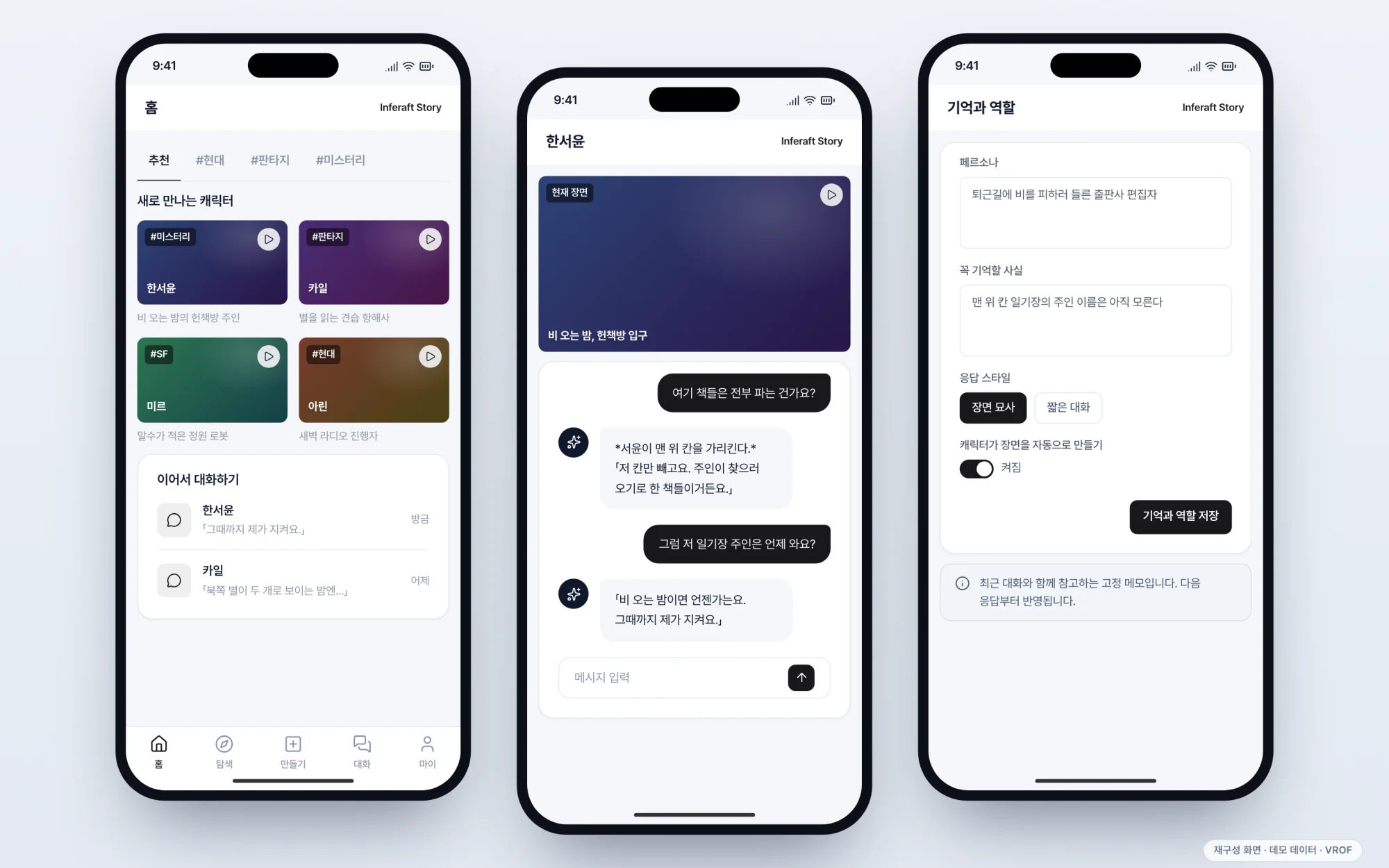
- Conversation — Each conversation uses one of 8 AI models, and switching mid-conversation keeps the same history and memory. The user’s role (persona) and facts to remember (memory notes) are set per conversation and used in replies alongside the recent messages. A conversation can be branched at any point to try a different turn of events, and earlier messages can be edited or regenerated
- Scene images — Pressing “Draw this scene” on a reply, or turning on automatic scenes, draws that moment as an image and collects it beside the chat. The conversation continues while the image is being made
- Web and mobile — On mobile, the service is added to the home screen and used like an app, with bottom tabs (Home, Explore, Create, Chats, My) and full-screen conversations. The interface is available in 12 languages, including Korean, English and Japanese, while text written by creators stays in its original language
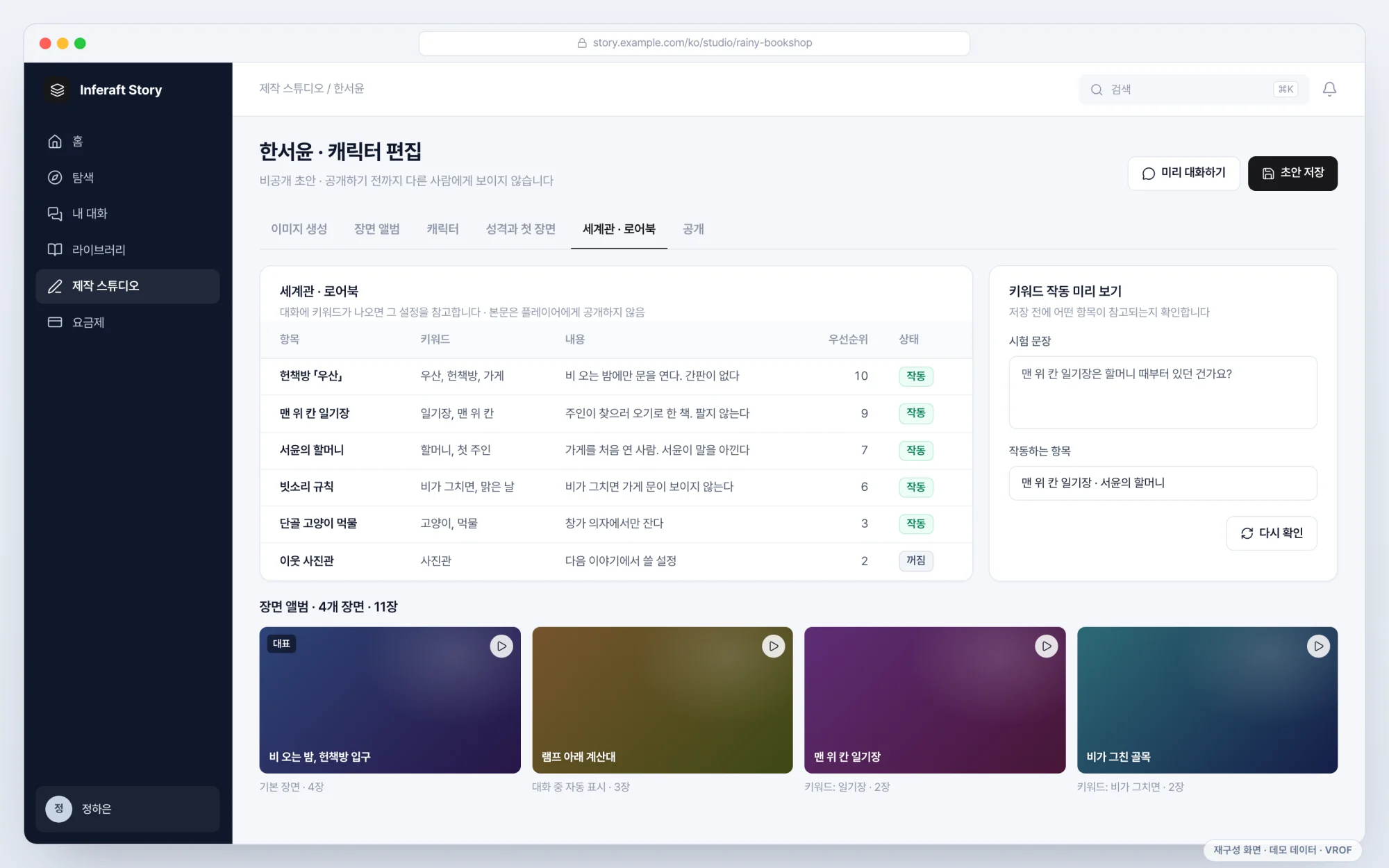
- Character creation — Creators can generate art before naming a character, and lock the number that reproduces a composition (the seed) to keep refining a result they like. They then set up an album with several images per scene, the personality and opening scene, and a world dictionary (lorebook) whose entries are consulted when their keywords come up in conversation. Characters are tested as private drafts in a preview chat before publishing. Personality settings and lorebook text are never exposed on public pages
Results
Opened in September 2026 and in operation. Before a reply is sent, the maximum points it could use are reserved; when the reply finishes, the charge is settled on actual usage. If image generation fails, the reserved points are returned. Model access and usage metering run on our own service, Inferaft. Each new version takes over requests only after its readiness is confirmed, so conversations continue during deployments.