A PDF editor that never uploads documents to a server
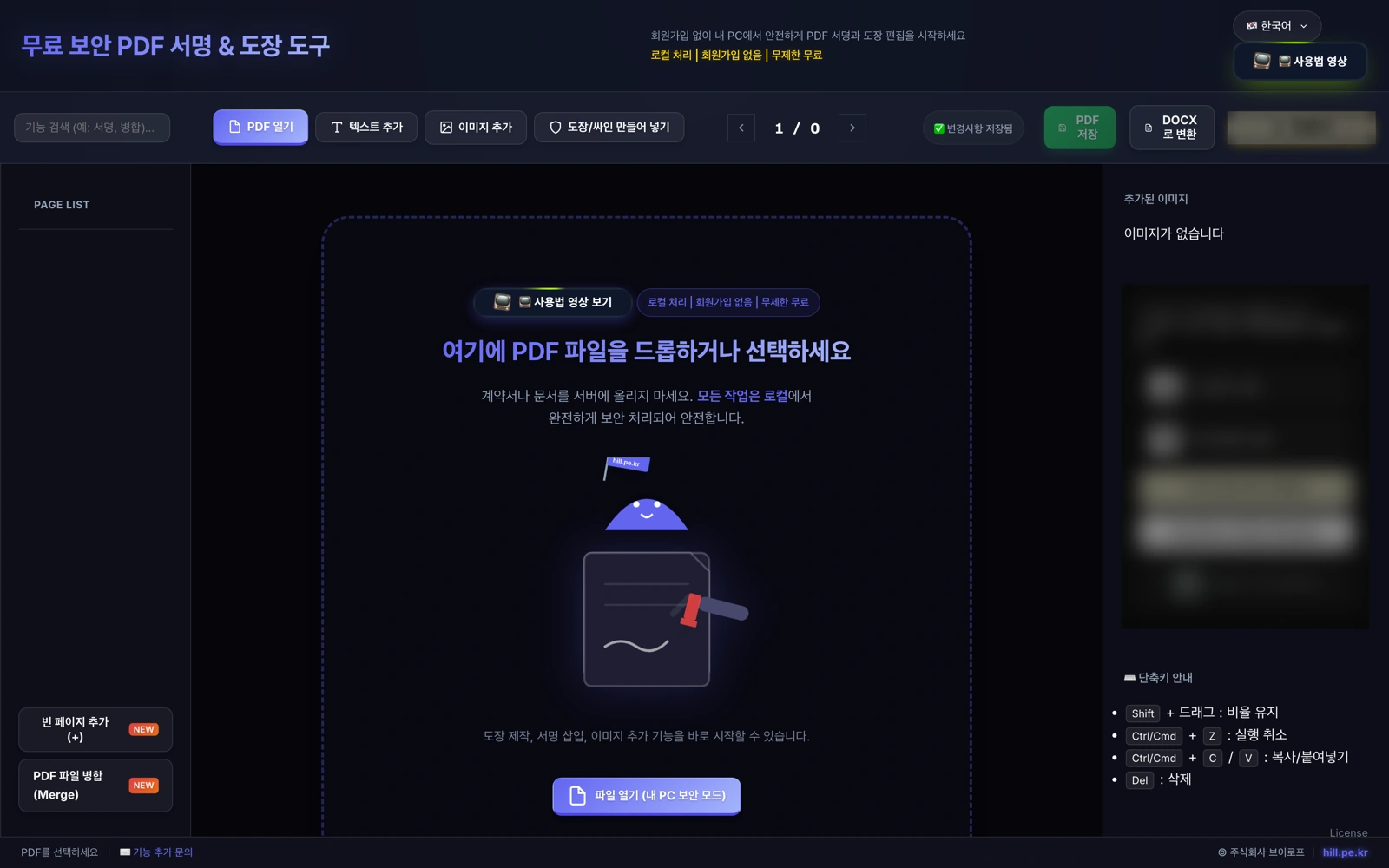
A web service that gets merging, signing, stamping, and conversion done inside the browser. Files never leave your device, and using it for work costs no license purchase.
Service in operation
Before
Deployed 2026.01
After
6 months without downtime · 10 languages
Background
Stamping a PDF or adding a signature is an everyday task. The trouble appears when you do it at a company.
A large share of well-known free PDF editors are free only for personal, non-commercial use. Use the same program for work and you must buy a paid license; among domestic products, some licenses even define working from home as business use.
This line is not crossed openly, by someone reporting it. Programs targeted by enforcement send the date, MAC address, and IP to the copyright holder’s server when they run, and when those records pile up under a company IP, a certified letter of demand arrives. If no settlement follows, it escalates to criminal complaint. In Korea, cases of companies paying settlements after installing compression or antivirus programs known as personal software on office machines have repeated themselves for years.
And most online PDF tools process your file by uploading it to their own servers.
So two questions are left in front of whoever is responsible. May this contract be uploaded to somebody else’s server, and may this program be used at the office. If either one fails, the document ends up being handled by hand.
The problem we defined
The goal was not to add features but to remove those two questions.
However rich the editing features, the moment uploading is required some documents become unusable, and the moment installing is required a license must be checked. So we went the way of nothing uploaded, nothing installed, and no account created. With none of the three, there is nothing left to ask.
What we built
- Everything processed inside the browser — files stay on the user’s own device. It works immediately without sign-up, so no account is ever created
- What document work actually needs — merging, reordering pages, adding and deleting blank pages, inserting images and logos, making stamps, hand-drawn signatures, adding text, DOCX conversion
- 10 languages — Korean·English·Chinese·Japanese·German·French·Vietnamese· Persian·Hindi·Swedish
Results
Deployed in January 2026 and running without downtime for 6 months now. It is free, with neither usage limits nor license purchases — you may use it for work.
Technically, the key is that there is no server. With no uploads there is nothing to store, nothing to delete, and nothing to safeguard. With no installations there is nothing to list in asset inventories or renew every year.
Other products we build and run ourselves are collected under our own products.
Sources
hill.pe.kr service pages · representative verification of terms of use (2026-08-10) · licensing practices behind the background drawn from publicly available product license agreements and copyright-enforcement practice material